For a while, I used ChatGPT for exactly what the name suggests: chatting. I asked questions, got answers, then asked a few more. That alone seemed pretty impressive.
Then I asked it to build a program. My first attempt was a game for new café staff to practice the steps for making drinks.
I described what I wanted, clicked through the result, and asked for changes. Somehow, a conversation in a chat window ended with me pouring milk into a cup. An on-screen cup, to be clear.
This is called vibe coding: describing what you want and having AI write the code. Here’s how my first attempt with ChatGPT went.
The finished game is available through Try the game at the top of this post.
I made the first version with ChatGPT in less than an hour of spare time, over three or four exchanges. The result was one HTML file that opens in a browser, with no installation or account needed.
An idea at a café I often visited
I was at a café I often visited when the idea came to me.
When new staff join a café, they have to learn the steps for each drink: read the order, choose the cup, and remember which ingredient goes in first. I thought a game could help them practice that sequence.
A game just for practicing that sequence seemed small enough to start with.
The first prompt: a café training game
My first prompt was along these lines:
I want to make a game that lets new café staff practice the steps for making drinks. Please make it a single HTML file that I can open and use.
An HTML file opens in a web browser. This game has everything it needs in one file, so there’s nothing else to install.
This was the first result.
The first four screenshots were originally in Korean; the versions shown here have English text. The screenshots in the fourth-prompt section were captured directly from the English game.
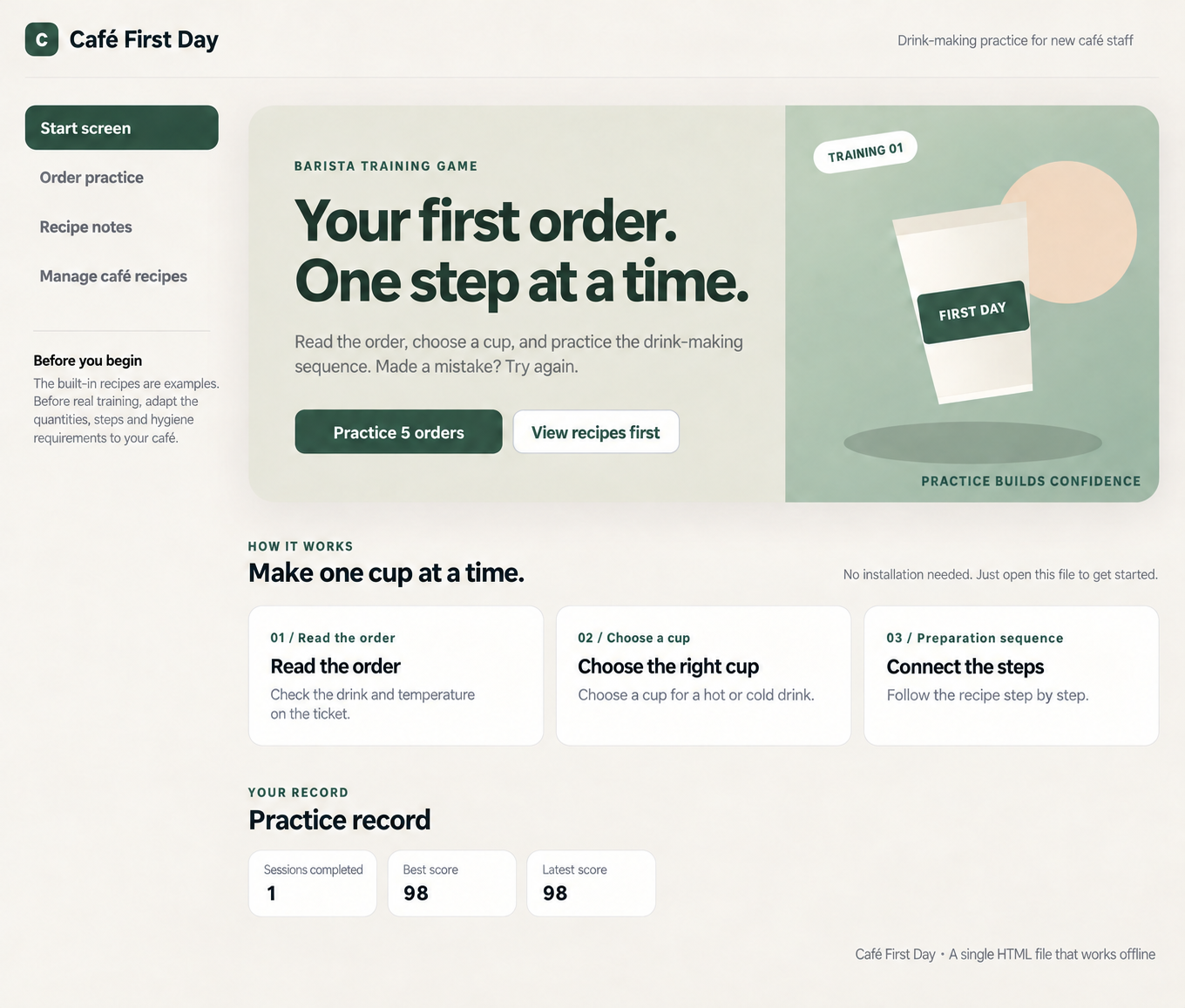
The first screen: read an order, choose a cup, and pick the steps to make a drink.
The game worked. There was an order slip and a cup. Whether that added up to useful staff training was another question.
The second prompt: adding training content
Having a café game didn’t make me an expert in café training. I asked ChatGPT to check whether the game was missing anything and whether new users might get stuck.
Please check whether the training is missing anything a new staff member would need. Make the game easier to use and improve the design too.
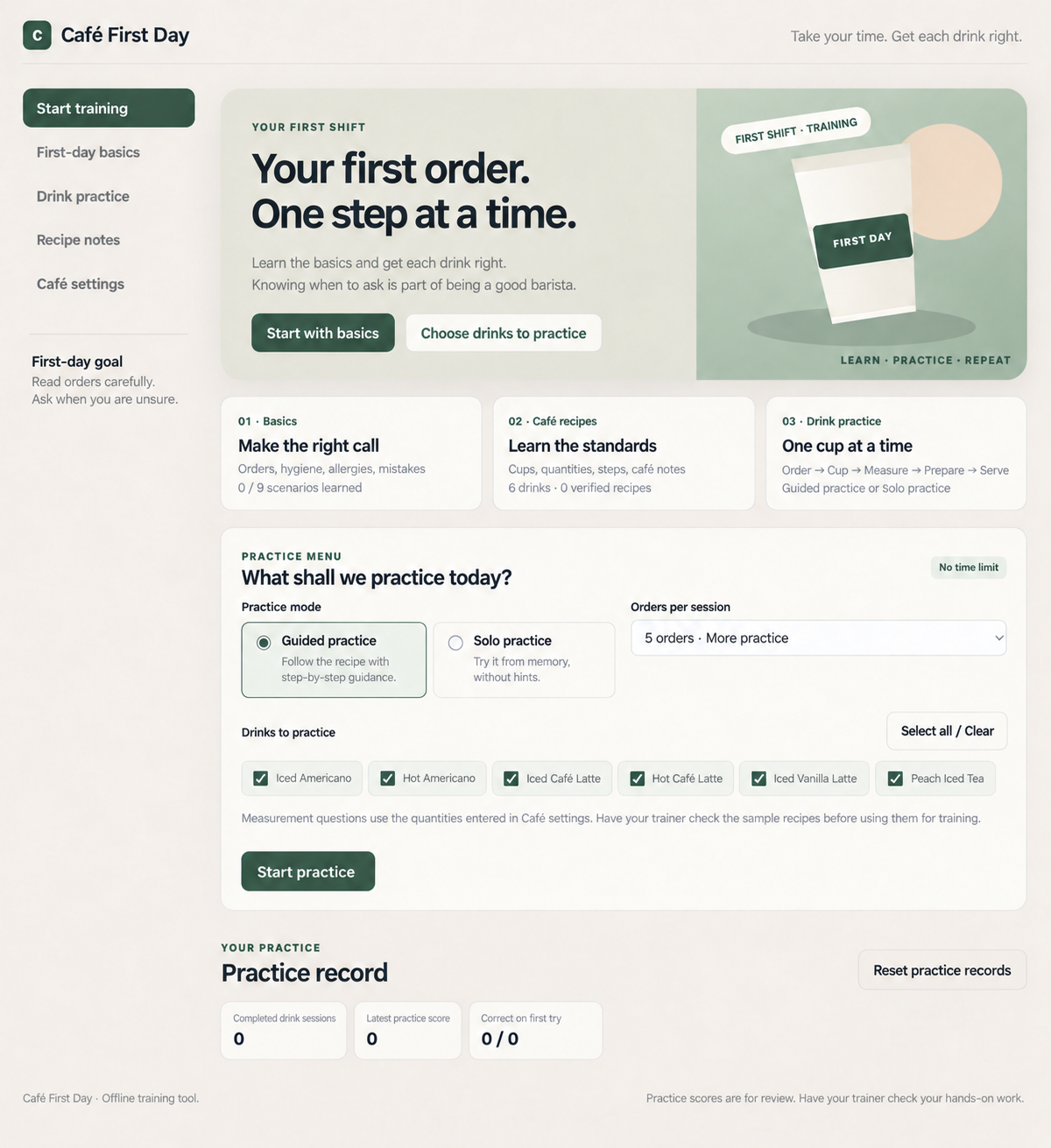
Start with the basics, read the café’s recipes, then try making a drink.
You could now choose which drinks to practice, follow the guidance, or try it from memory. The game also covered checking orders, keeping things clean, and handling mistakes—topics I hadn’t included in the first request.
I haven’t used it to train staff in a real café. A trainer would need to check the content first.
The third prompt: adding ingredients to a cup
Up to this point, you practiced by pressing buttons labeled with the steps for making a drink.
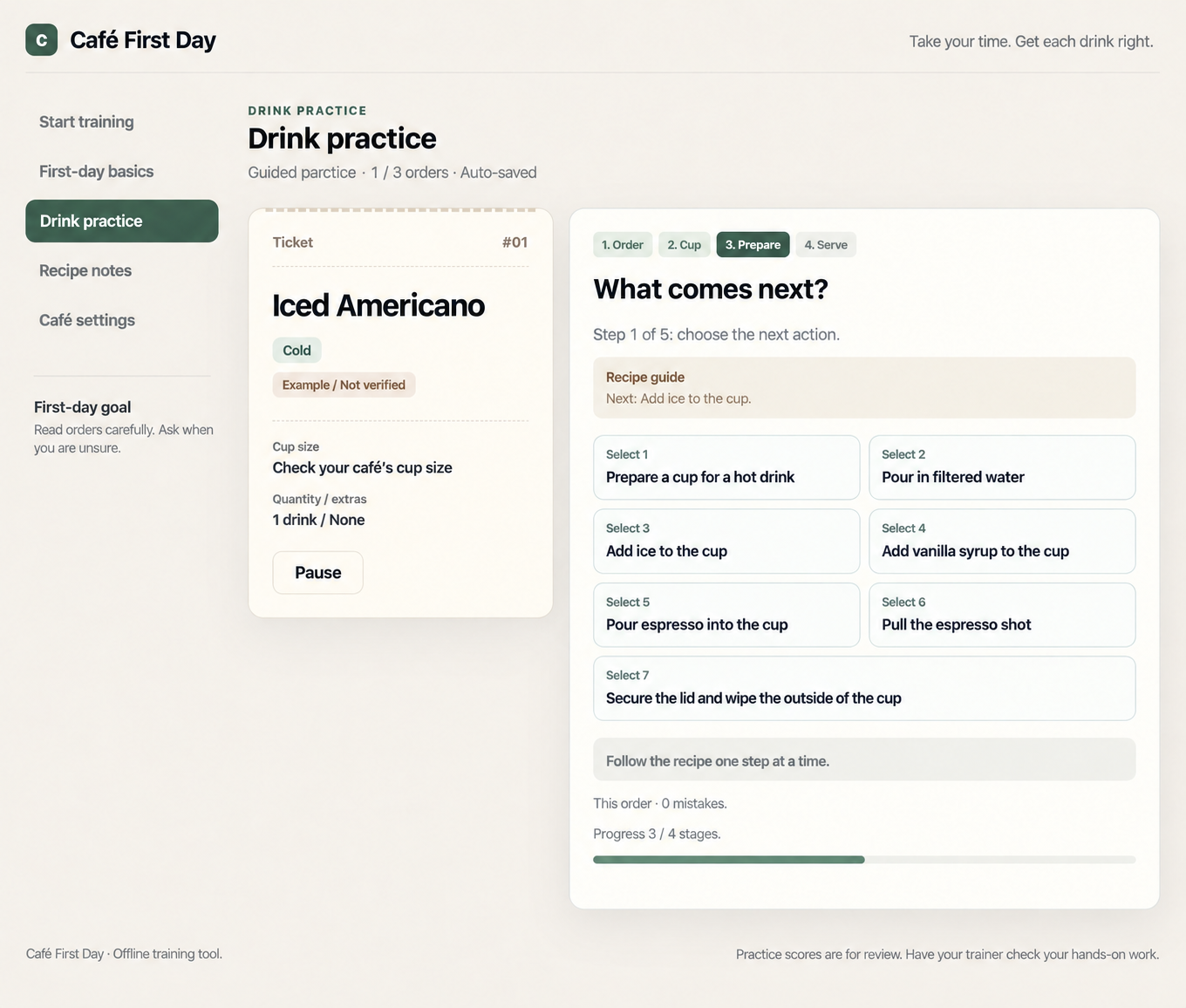
You picked what to do next from a set of written options.
Picking the next step worked, but with a cup right there on screen, I wanted to put something in it. Seeing the ice and milk go in would make it feel more like a game.
It would feel more like a game if you could put ice, milk, and espresso directly into a cup and see the drink being made. Please make it work that way too.
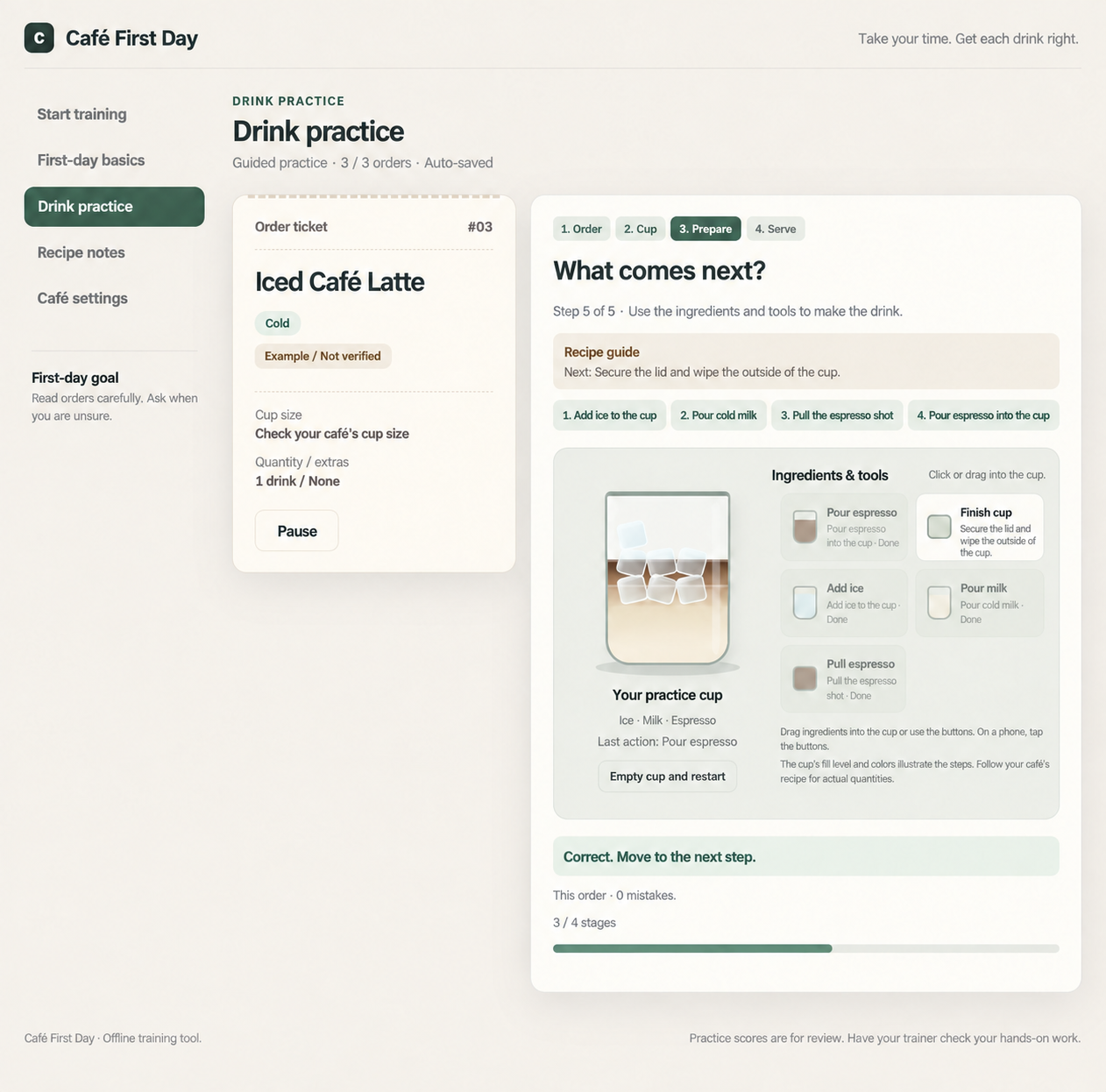
Click an ingredient or drag it into the cup to make the drink. The cup is an illustration of the process; follow the café’s recipe for real amounts.
Ice piles up in the cup, while milk and espresso appear as layers of different colors. If you get the steps out of order, you can empty the cup and start again. It was getting closer to the game I’d had in mind.
The fourth prompt: bolder colors
Once the features were in place, the colors felt a little flat. The cream and pale green were calm, but I wanted the game to have more character.
The colors feel a bit flat. Can you make them bolder while keeping the café feel? I’d like the buttons and practice area to stand out more, too.
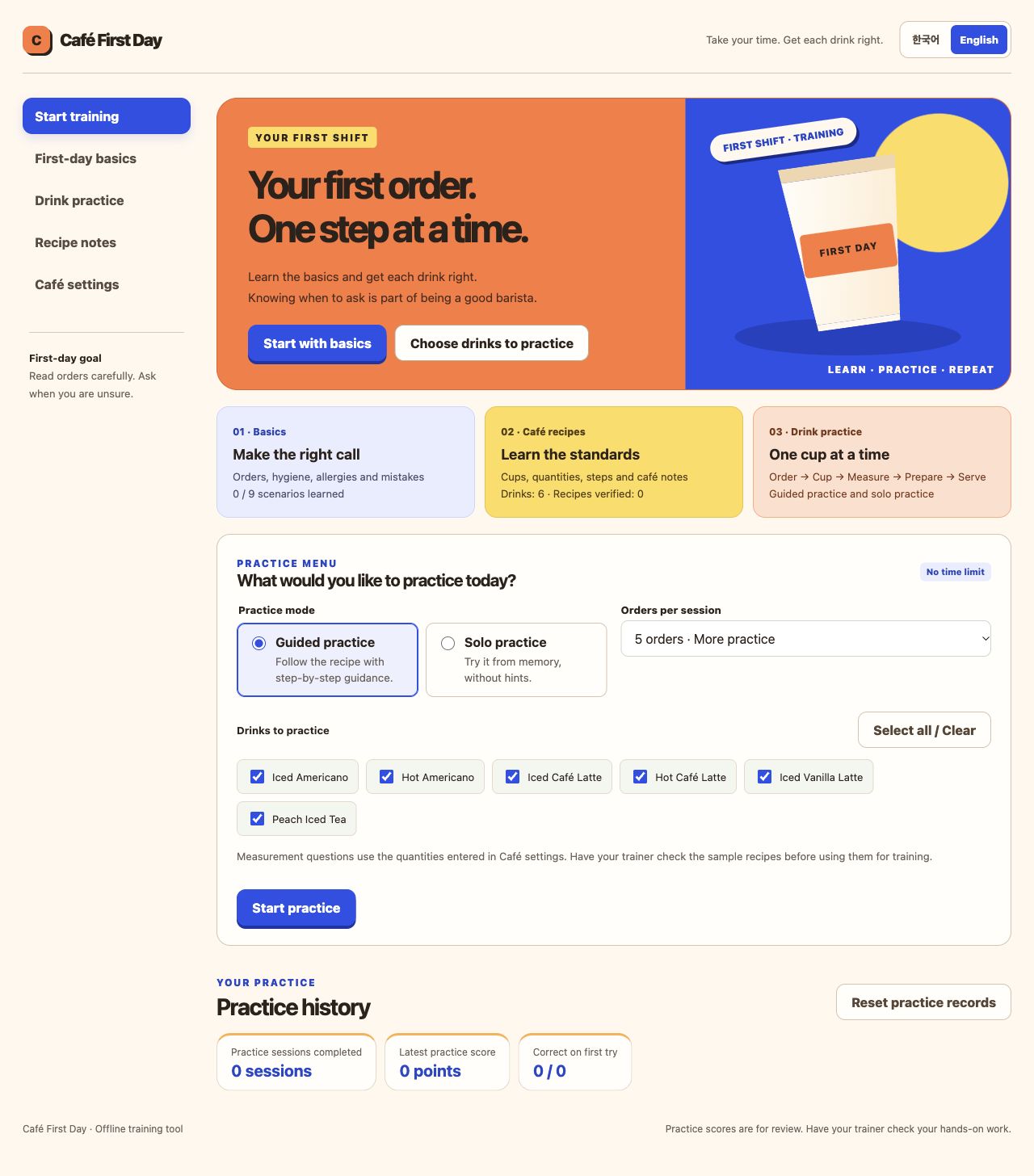
Orange and blue are the main colors on the start screen, with yellow accents.
The cream background stayed, while the main buttons and selected navigation item turned blue. A few different colors made the same game feel quite different.
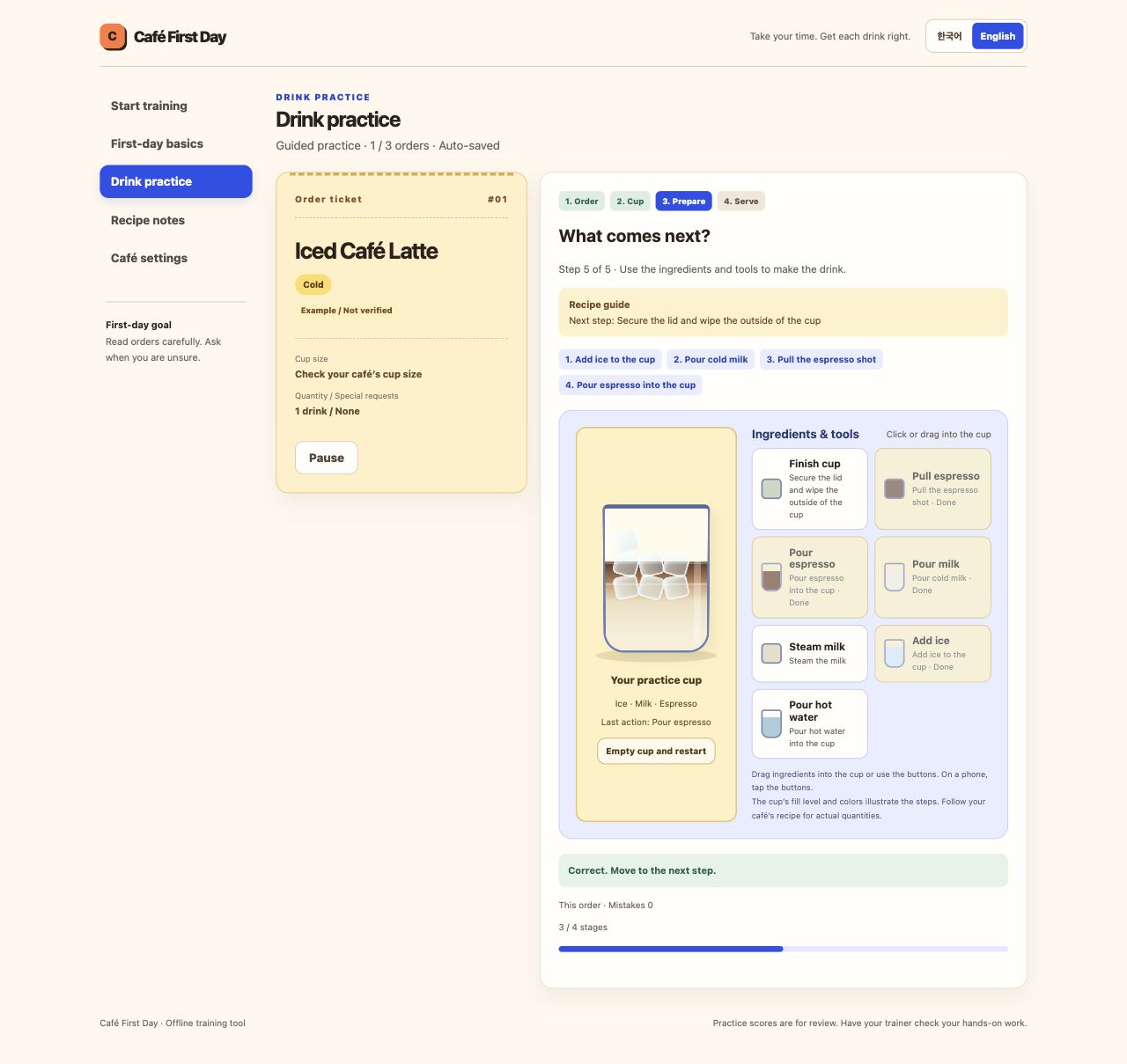
Yellow sets the cup area apart from the pale blue ingredient area. The drink-making steps and controls work the same way.
I checked again that adding ingredients, finishing a drink, and switching between Korean and English still worked. Prettier buttons wouldn’t help much if I couldn’t get the milk into the cup.
Trying the game after each change
The first prompt didn’t include basics questions or an interactive cup. I started with a game for choosing the steps, then added training content and a way to fill the cup.
After each change, I ran the game myself. I checked that I could add ingredients, empty the cup and start again, and pause and resume.
Trying the game helped me work out what to ask for next. I couldn’t think of every feature at the start, but clicking through the result gave me more specific ideas.
Sharing the game as an HTML file
This also made me want to get more comfortable with HTML. Sending someone a piece of text is useful, but an HTML file can give them a screen they can actually click through. I could see this working for instructions or checklists as well as games.
If ChatGPT replies with a long block of code, I can ask, “Please give me a downloadable HTML file.” On a computer, double-clicking that file opens it in a browser.
It can open in a phone’s browser too, though messaging apps handle received files differently. I can send the file itself, or put it online, as I’ve done on this blog, and share the link in a message or social post. A link seems simpler when several people want to try it.
The game I ended up with
You can open the Café First Day HTML file and try it yourself.
I started by asking for a game about drink-making steps and ended up filling cups and changing colors. I’m beginning to see that I don’t need to describe everything perfectly at the start. I can try what comes back and ask again.
I’ll keep writing about what I make and change. I’m still finding out what I can get AI to do, one small project at a time.
The four prompts for this game are translated from Korean. The first two and the color-change prompt are lightly edited for readability.