A SMALL TOOL TO TRY
Café First Day: café staff training game
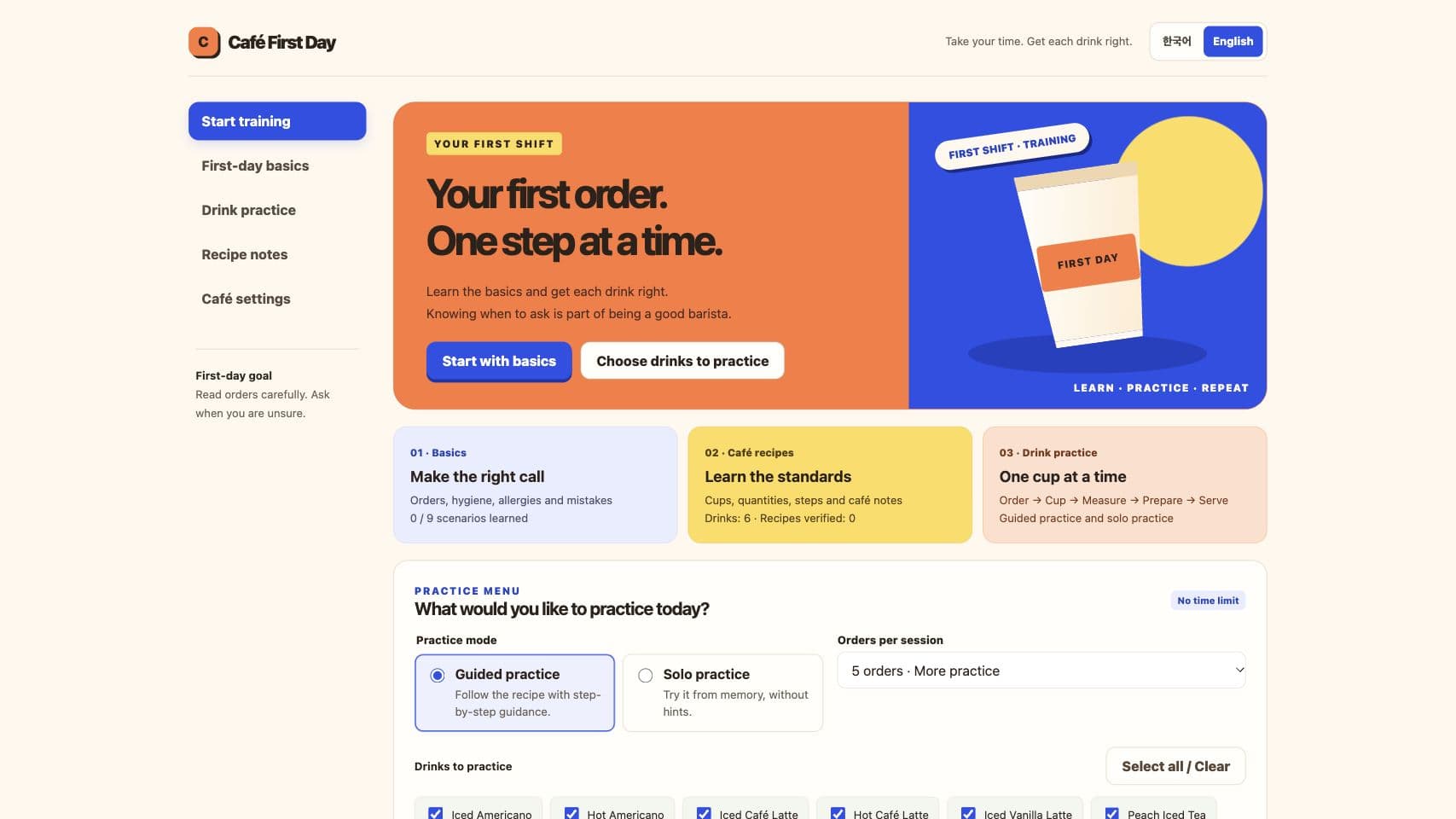
Café First Day is a browser game for new café staff to practice reading orders and following drink-making steps. It is an experiment built with AI. You can try it for free without an account or installation.
What you can practice
From order to handoff
Read an order, choose a cup, and work through ingredient quantities and preparation steps. Click ingredients or drag them into the cup to see ice, milk and espresso build up.
Guided and independent practice
Start with a recipe guide, then switch to independent practice. Feedback helps you retry steps you get wrong.
Store recipes and basic skills
Explore example drinks and enter your own store recipes. The game also includes basic questions and checklists on orders, hygiene and handling mistakes.
Korean, English and an HTML download
Use the language buttons at the top right to switch between Korean and English. The game fits in one HTML file that you can download and open in a browser.
Getting started
- Open ‘Start the game’ and look through the example recipes.
- Review the basic skills and checklists, then choose drinks and guided practice.
- Work through the order, cup, quantities, preparation and handoff. Click ingredients or drag them into the cup.
- Try the same drinks in independent practice. Before using it for staff training, ask the person responsible to review the content and adapt recipes to your store.
Before using it in a store
This game supports practice; staff still need instruction from their store on drink preparation, hygiene and equipment. Cup colors and levels are visual illustrations, not measurements. Store adoption and training outcomes have not been verified.
Where are progress and recipes stored?
Progress and recipes are kept in the current browser’s storage. There is no account or server synchronization, so data does not automatically move between devices and may be lost if browser data is cleared. Back up important recipes with the game’s JSON export.
Frequently asked questions
Can I use it to learn café recipes?
You can enter store recipes and revisit the preparation sequence as a practice aid. Included recipes are examples; amounts and steps vary between stores. We have not measured learning or memorization outcomes.
Does it work on a phone?
You can open the public link in a mobile browser and tap ingredients instead of dragging them. Apps handle downloaded HTML files differently, so the public link is usually easier on a phone.
Can I use it offline?
Download the HTML file first, then open it in a browser without an internet connection. Loading the blog or public game link requires internet access.
Will changing the language erase my progress?
Switching languages within the same file preserves progress and the recipe you are editing. Names, notes and steps you enter yourself are not automatically translated.
How was the game built with AI?
I asked AI for a single HTML file where new café staff could practice drink-making steps. I then asked for a clearer training flow and a cup that accepts ingredients. The build journal below includes prompts and screenshots.
How I built an HTML game with AI
The journal shows the initial request, changes to the training flow, and the ingredient-filled cup, with screenshots from the build.